Email us
  Support
  Login
Login 
RAID Breakdown
What is RAID. Well it stands for Redundant Array of Inexpensive Disks. It is a system where multiple low cost HDD’s are linked together to make a large capacity storage device. This was designed to have better performance, storage capacities and a greater reliability.
On desktop systems, there are typically three RAID levels, one of which is not really a commonly used RAID setup today. These are RAID 0, RAID 1 and RAID 5. However, I will go over RAID 0, 1 10 and 01.
For most people and their personal uses, a RAID array is not needed, however when important information is involved and the information cannot be lost, that’s where other RAID levels come in. RAID zero is not commonly used today. It started as a way to increase the capacity of a system by linking multiple smaller drives together, however nowadays drives are much larger there is no real need to do this. Basically, if one drive fails, then all the data is damaged or lost.
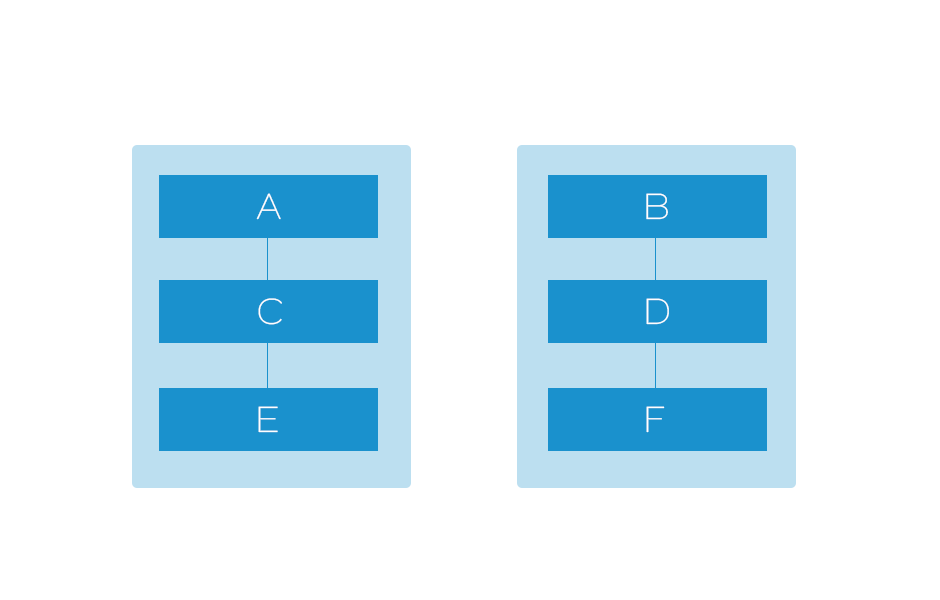
RAID-0 Setup
In the RAID 0 setup to the right, the information is spread across two drives. For this reason, if one drive fails, the data is damaged or lost.
RAID 1 was the first implementation of RAID to help prevent the loss of data. This set up mirrors drives in a system. This is a simple form of redundancy and requires two drives of similar capacity to work. One of the drives is the active drive and the other is the mirror. If anything is written to the active drive, it is also written to the mirror drive.
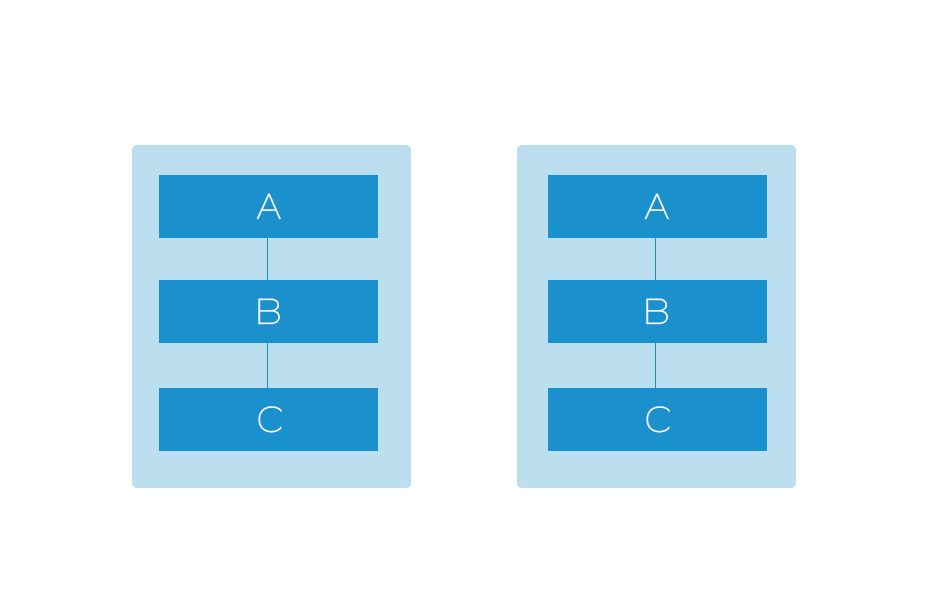
RAID-1 Setup
As you can see to the left, the information stored on each drive is mirrored from the first one. With a RAID setup such as this, the overall capacity will only be as large as the smallest drive in the system. Therefore, if one drive in this setup is 500GB and the other is 750GB, the RAID setup will only have 500GB. This setup also does not provide a performance increase. When replacing a HDD in this setup, there is no downtime.
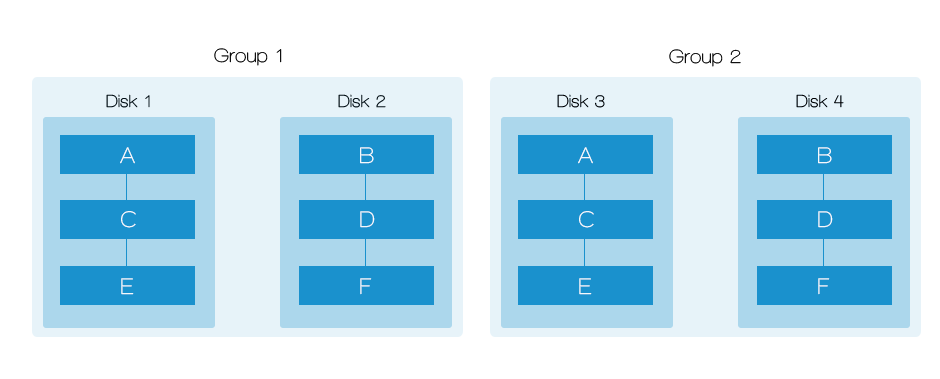
RAID-01 Setup
RAID 01 is a hybrid of RAID 0 and 1. To do this, a system has to have at least 4 drives. It is aimed to increase the performance and redundancy by taking the advantages from RAID 1 and RAID 0. As we can see by looking at Disk Drive 1 and 2, the data is in RAID 0, but these four drives are set up in RAID 1, that drive and two are mirrored by drive 3 and 4. This set up allows increased performance, and the data is fully redundant. However to do this a large number of disks are required and the effective data capacity is reduced.
RAID 10 is a better option to RAID 01. The setup of RAID 10 can be seen below.
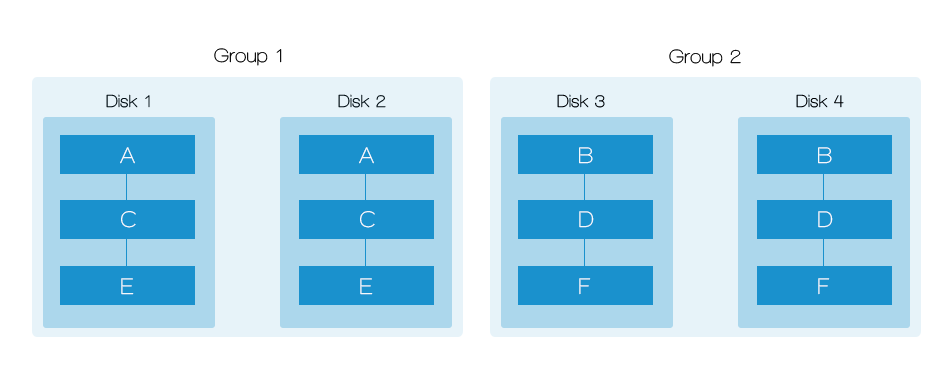
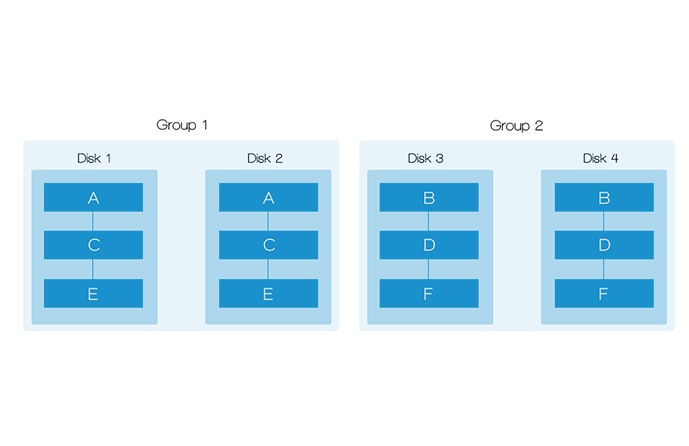
RAID-10 Setup
RAID 10 will mirror each drive in a group, and then split the data over multiple groups (as seen above). RAID 10 also supports up to 6 disks, in this set up, if disk 1, 3, and 5 fail, the RAID 10 will still be functional.
Main differences between RAID 01 and RAID 10.
The performance of RAID 10 and 01 is the same, neither allows for better system performance. The data storage capacity is also the same. The big difference is the fault tolerance level. RAID 10 offers more groups (with 6 disks you can have 3 groups of 2 disks, the above set up has 2 groups of 2 disks), which in turn provides more tolerance for disk failure.
So what do I use?
In the best case scenario, I would recommend using RAID 10 with 6 disks. This is more expensive, however if you need the security knowing your data has a very very small chance of being lost or corrupt, use this RAID setup. If you want basic redundancy and don’t want to spend money. The best option would be RAID 1.